


Initial configuration Fritzbox 4040 via fibre optic port 1
1. In order to establish a connection to the Fritzbox, it is necessary to use either a LAN or WLAN connection. It is not necessary to have an internet connection.
2. Ideally, the initial configuration should be performed on a PC. Open your browser, e.g. Google Chrome, and visit http://fritz.box
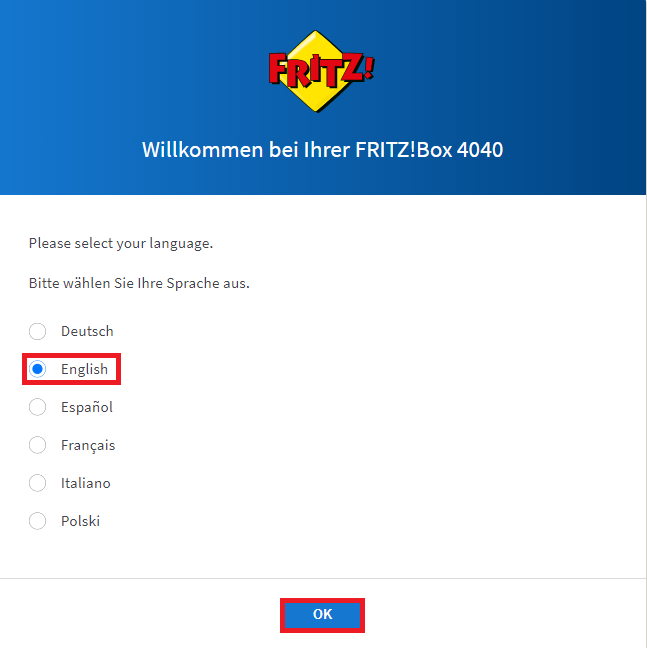
3. The following input mask opens with the language settings.
Select English as the language.
4. Next, the screen for the country setting opens.
Select Switzerland as the country.

5. The router adopts the settings. Wait for the automatic router restart. Visit http://fritz.box again with your browser.

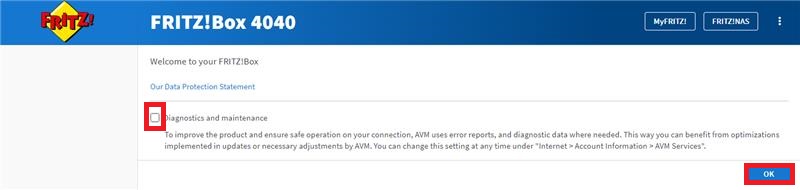
6. Uncheck Diagnostics and Maintenance and confirm with OK.
7. Under Internet -> Access data -> Connection settings, set the value for Downstream and Upstream to 1000 Mbps.
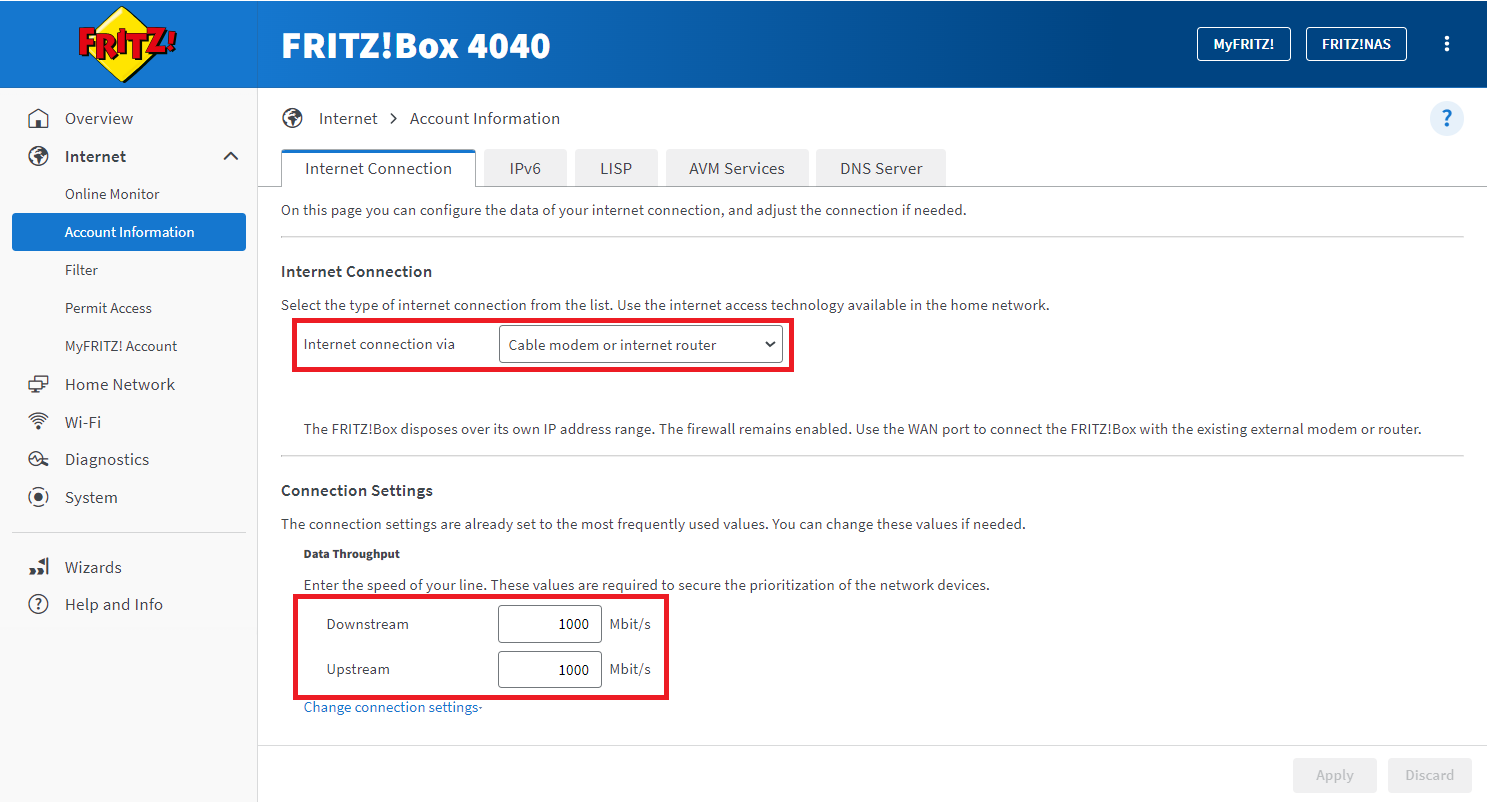
8. Click Apply and wait for the settings to take effect. The configuration process is now complete.
